Last Updated on August 16, 2025
Quick commerce has changed the way customers shop. Their patience is diminishing, and they’re getting used to on-demand 10-minute deliveries. If you want to tap into that customer base, selling on Zepto and Blinkit is the perfect solution.
Zepto and Blinkit parcel your products to customers without you having to leave your store or hire more staff. So, it’s natural to look into how to start selling on those platforms.
In this article, we’ll walk you through how to sell on Zepto and Blinkit. We’re also adding a few tips to help optimize your listings for these quick commerce giants and boost your sales.
We do not list your brand or products on Zepto or Blinkit. As a digital agency, our expertise lies in running and optimizing Zepto Ads and Blinkit Ads to help scale up your sales and visibility.

Table of Contents
How to Sell Products on Zepto
Getting started on Zepto is easier than you might think. Whether you sell groceries, electronics or self-care items, you can list your products and start selling.
Zepto Seller Onboarding Process
1. Visit the Zepto Vendor Hub page to get started with the onboarding process

- Zepto’s Vendor Hub is the official page on which you can register as a seller.
- Visit the page and click “Register Now” to start the onboarding process.
2. Fill in business details
Create your account and provide the required details like
- business name
- contact details
- business address
3. Upload required documents
You require personal documents and business licences and certificates for verification now. The list includes:
PAN card
Aadhaar card
GST certificate
Bank account details
Cancelled cheque
Signature copy of authorised signatory
Trademark certificate (or authorisation letter on owner’s letterhead)
4. Set up your store
Wait a few days for verification and approval. Then, list your products, set pricing, and update your inventory.
5. Start selling
Once the store is live, customers can place orders, and Zepto’s delivery network will handle the rest. Just focus on keeping your inventory stocked and generate more Blinkit leads
How To Sell On Blinkit App?
Now that you know how to sell on Zepto, let’s look at Blinkit’s process. Selling on Blinkit is just as straightforward but with a few differences.
Here’s how to sign up:
Blinkit Seller Onboarding Process
1. Visit the signup page : Seller Hub by Blinkit
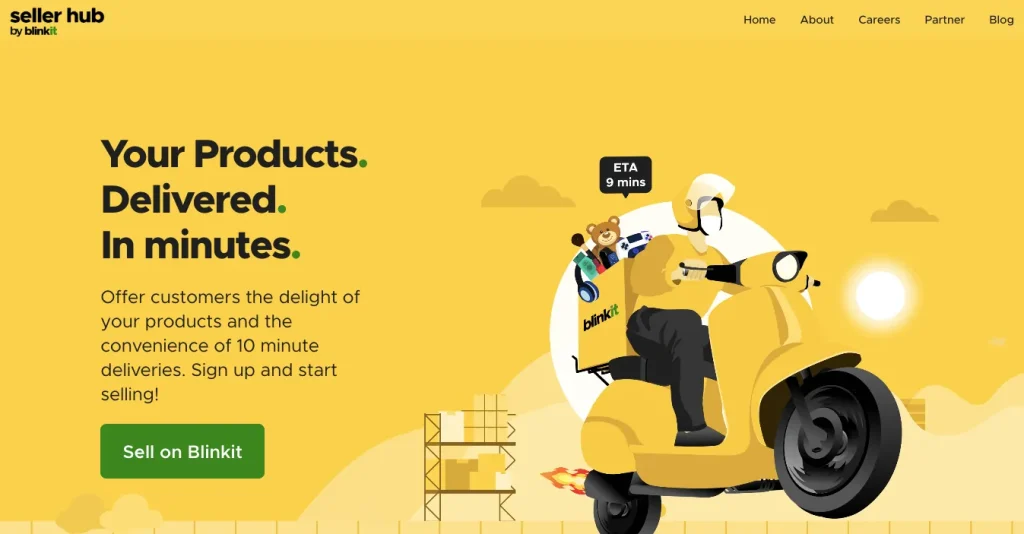
Seller Hub by Blinkit is the official page where you can register your business. Visit the page and click “Sell on Blinkit” to start the onboarding process.
2. Fill in business details
Create your seller account and provide all the required business details as asked.
3. Upload business documents
Just like Zepto, you need to share personal and business documents with Blinkit. The list is more or less the same as Zepto’s.
4. Get your store ready
Depending on your business type, Blinkit might partner with you as a supplier or onboard you as a direct seller. Then, you can set up your catalogue, pricing and stock inventory.
5. Start selling
Once your products are live, Blinkit will handle the logistics and fulfil all orders. Just keep your focus on updating the inventory regularly.
Tips to list your products effectively on Zepto & Blinkit
Listing your products is just the first step to selling on Zepto and Blinkit. You need to make sure they actually sell.
Here are a few tips for best product listings:
1. Use real, high-quality images
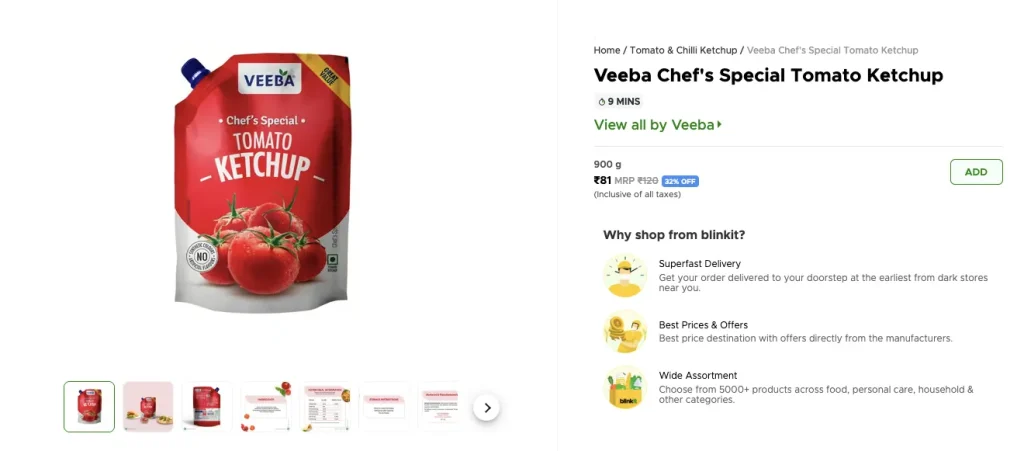
A Tomato Ketchup Listing on Blinkit: The product images clearly display the front and back of the packaging, including the list of ingredients, nutritional information, storage instructions, and details about the manufacturer and marketer.
Put up a clear, well-lit photo that showcases your product correctly. If possible, stick to a contrasting background to have a good product picture.
Product Image requirement on Zepto & Blinkit:
The above product images clearly display
- The front and back of the packaging
- Including the list of ingredients
- Nutritional information
- Storage instructions
- Details about the manufacturer and marketer.
2. Write clear descriptions

Product Description on Blinkit & Zepto with Description, shelf life, Product Type, FSSAI License, Shelf Life, Return Policy
Key Points to note when adding the product’s description on Zepto & Blinkit
Keep product descriptions short, informative, and to the point. Highlight key features like sizes, dates, restrictions or anything that concerns customers.
3. Set competitive pricing
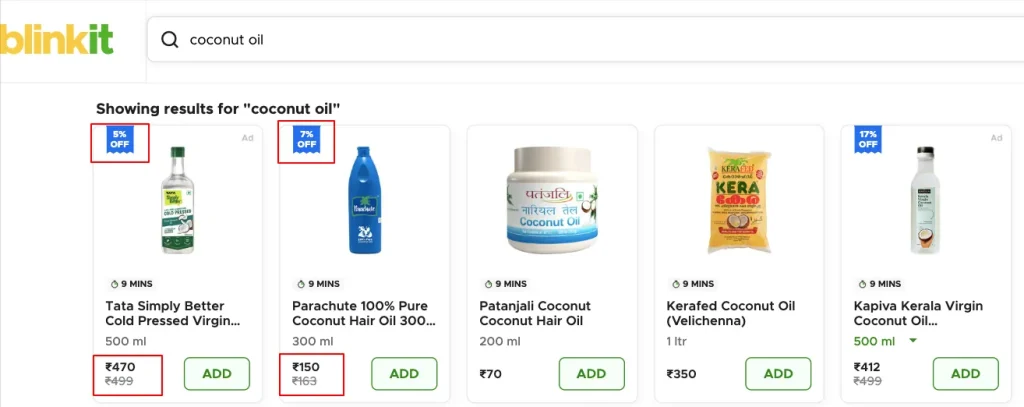
Coconut Oil's competitve pricing on Blinkit with 5 and 17 percentage offers
- Research similar products on the platforms and set a price that’s attractive but still profitable.
- Monitor your costs regularly to maximise revenue.
4. Keep updated inventory
Check your inventory regularly to have enough stock to avoid cancellations and out-of-stock situations. Ensure best-selling products are always available.
5. Run in-platform ads
Enhance your products’ visibility and recall with ads. Look for any promotion run by competitors and optimize yours accordingly.
Grow your business with Blusteak’s Quick Commerce
Learning how to sell on Zepto and Blinkit is only the beginning of an expanding business. To scale it up online, you must do smart marketing. You need the right quick commerce marketing strategy to boost visibility and drive more sales.
Looking for the best Quick Commerce Ads Agency in India? We specialize in performance-driven advertising strategies to boost sales for Zepto, Blinkit, and other q-commerce brands!
Want to get more customers for your Zepto and Blinkit stores? Get in touch with Blusteak