Overview
Automated Deliverable Approval Reminder System
- At Blusteak Media, delayed client approvals were one of the biggest hidden bottlenecks in campaign delivery.
- Even when the creative or landing page was ready, projects would stall because reminders were sent late, sent inconsistently, or sometimes not sent at all.
- To remove this friction, we built a fully automated, zero-touch Deliverable Approval Reminder System that connects Basecamp with Google Sheets and manages the entire follow-up workflow without human involvement.
- This system ensures that every pending approval is tracked, reminded, and escalated automatically until the client responds.
Business Problem
Before this automation, approval follow-ups were entirely manual.
For every project, team members had to:
- Check which cards were sitting in “Client Approval”
- Identify how long they had been pending
- Open the card
- Find the latest deliverable link
- Draft and send a follow-up email or message
This happened across 15+ active client projects simultaneously, creating compounding delays and approval uncertainty across multiple campaigns.
What went wrong:
- Follow-ups were missed during busy weeks
- Only one person “remembered” to follow up
- There was no shared or reliable system
- Managers had no visibility
Even at just 5 minutes per follow-up, this meant:
5 minutes × 15 projects = 75 minutes wasted every week
Over 60+ hours per year spent purely on repetitive reminder work.
This was not just inefficient — it directly delayed revenue, launches, and campaign performance.Solution
We implemented an AI-assisted automation system that converts Basecamp into a self-managing approval engine.
The system does the following:
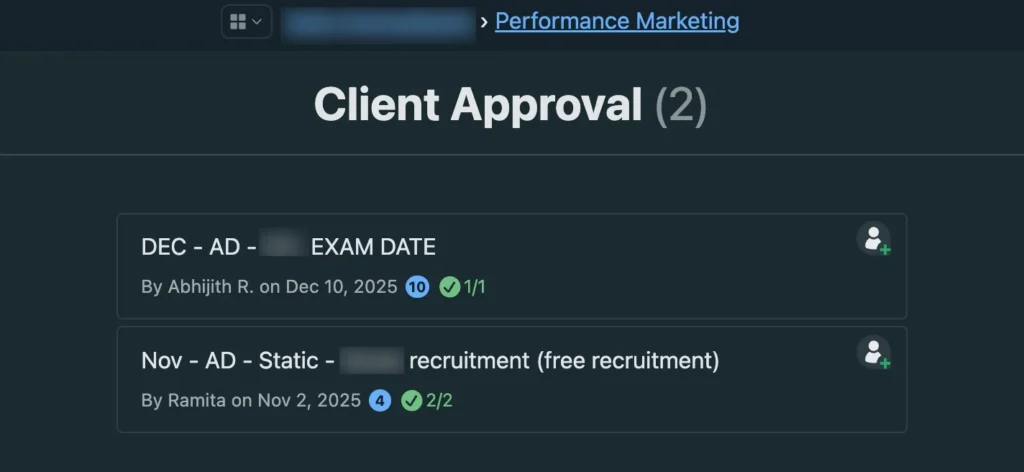
- Scans all cards in the “Client Approval” column
- Tracks how long each card has been waiting
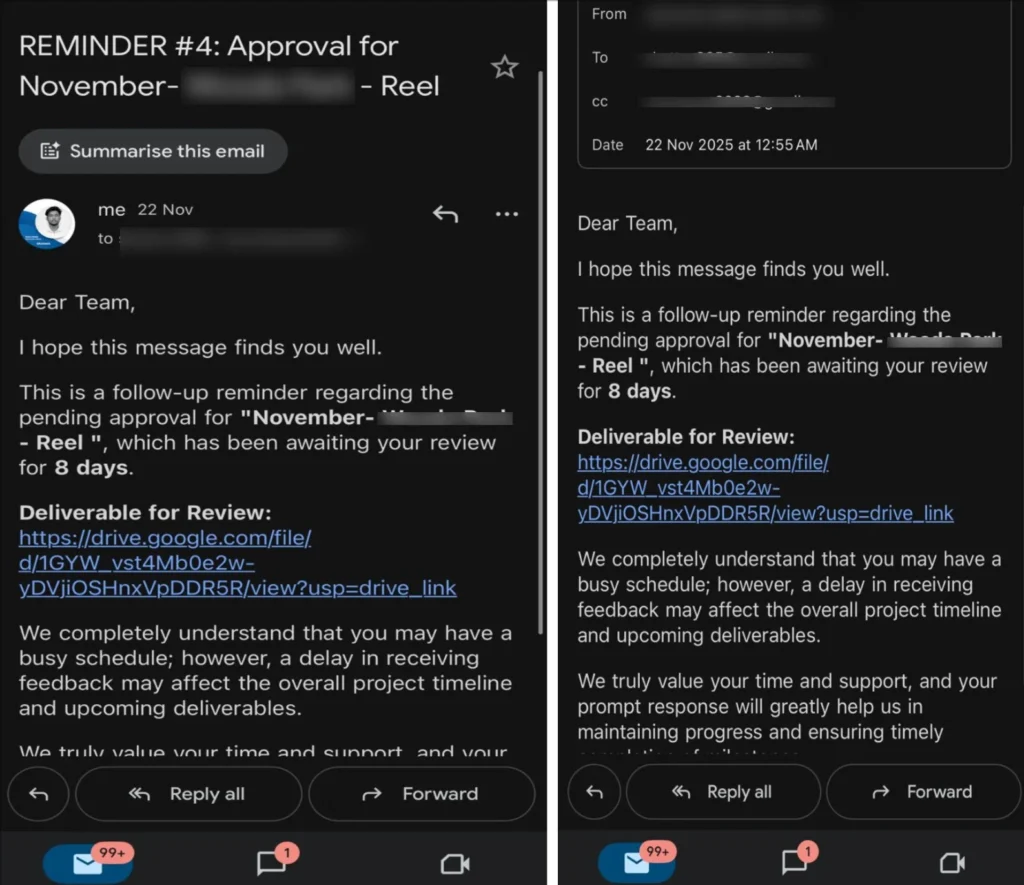
- Sends automatic reminder emails every 72 hours
- Pulls the latest Google Drive deliverable link from comments
- CCs all relevant stakeholders automatically
- Stops reminders the moment a card is approved or moved out
No human checking. No forgetting. No duplicate chasing.
How It Works ?
| Component | Role |
| Basecamp API | Reads project cards, columns, comments, and descriptions |
| Google Apps Script | Runs the automation logic, tracks time, sends emails, and manages history |
The system continuously syncs Basecamp data into Google Sheets and uses Apps Script to evaluate which cards require reminders.
Measurable Impact
| KPI | Before | After |
| Weekly time spent on approvals | ~75 minutes | ~0 minutes |
| Follow-up reliability | Dependent on humans | 100% automated |
| Missed follow-ups | Frequent | Zero |
| Team dependency | One person remembering | System-driven |
This single Client Approval Follow-ups system using Basecamp × Google Sheets freed over 60 hours per year of operational time and removed one of the biggest causes of project delays.
Why This Is Innovative
This is not just a reminder script. It is a fully intelligent approval engine.
Key innovations:
- Zero-Touch Follow-ups
Once a card enters “Client Approval,” the system takes over permanently until approval happens. - Smart Link Detection
It always pulls the latest Drive / Docs / Sheets link from user comments, so clients never review outdated files. - Intelligent CC Mapping
Client contacts and internal stakeholders are auto-attached from Google Sheets — no manual CC mistakes. - Scalable by Design
For a new project, the only thing required is:
Change the Basecamp Project ID.
Everything else runs automatically.
Replicability
This system is fully reusable for:
- New Basecamp projects
- New departments
- Any client using Google Drive
It works for:
- Creatives
- Websites
- Campaigns
- Reports
- Any approval-based workflow
Only the project ID needs to change.
Technical Challenges & How We Solved Them
| Challenge | Solution |
| Basecamp includes system messages like “moved this card” | Built an isSystemMessage() filter to ignore non-human comments |
| Extracting the right Drive link | Created a flexible extractDriveLink() regex that supports Docs, Sheets, Drive & cleans HTML |
| Preventing spammy reminders | Implemented shouldSendReminder() with strict 72-hour spacing per card |
| Knowing when to stop reminders | Maintained a trackedPendingCards map that auto-removes cards when they leave the approval column |
Proof of Implementation
GitHub Repository
https://github.com/shettyv985/Basecamp-Approval-Reminder-System.git
This repository contains the complete implementation of the system described above.
Business Outcome
This automation removed one of the most invisible but expensive problems in agency operations:
manual chasing.
By turning approvals into a self-running system, we:
- Increased delivery speed
- Improved client responsiveness
- Reduced operational overhead
- Removed dependency on human memory
This is a clear example of how AI-driven operations create measurable business leverage — not just efficiency.